zbitxre: what it is
zbitxre is the software for the zBitx and the sBitx v3, the HF transceivers from HF Signals. One program, sdr, is the radio: it receives, transmits, keys CW, decodes FT8 and RADE, and keeps the logbook. Everything you see is a screen onto that one radio:
- on a zBitx, the front panel, with its touch screen and knob;
- on an sBitx, the local GTK client on the radio’s own screen, with the two knobs on its front;
- on another Linux computer, the same GTK client: the local GTK client on your own network, the remote GTK client through my.sbitx.net from anywhere;
- in a browser or on a phone, the web page, Operate at my.sbitx.net, from anywhere.
They all show the same controls, and a change made on one is seen on all of them at once. So this manual is one manual for both radios. Where the panel and the GTK client are worked differently, it says how for each.
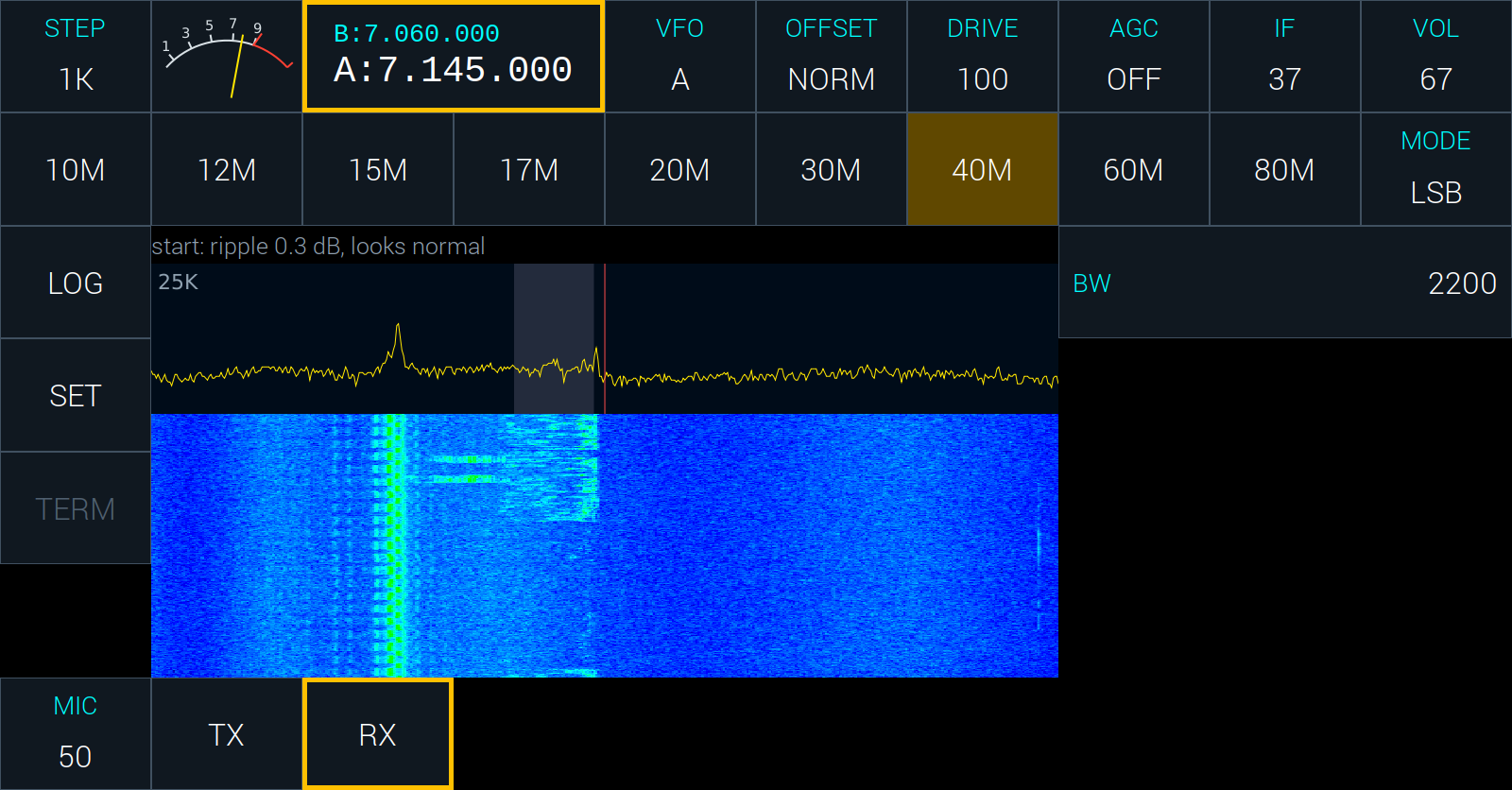
The screen at a glance
The GTK client and the front panel are laid out alike.
- Top row: STEP, the meter, the frequency (VFO A large, VFO B small above it), then VFO, OFFSET, DRIVE, AGC, IF and VOL.
- Second row: the band buttons, 10M to 80M, and MODE.
- Left column: LOG, SET, and the buttons that belong to the mode: KBD and ESC in CW, CQ and HALT in FT8.
- Middle: the spectrum above and the waterfall below, with the receiver’s passband shaded and your frequency marked by a red line.
- Right: the list of the controls for the mode in use.
- Bottom row: what the mode needs at hand: MIC, TX and RX in the voice modes, the CW macros in CW.
The line just above the spectrum is the status line. It says what the radio has to tell you: that it is connected, that someone is speaking over VoIP, or why something you asked for was refused.